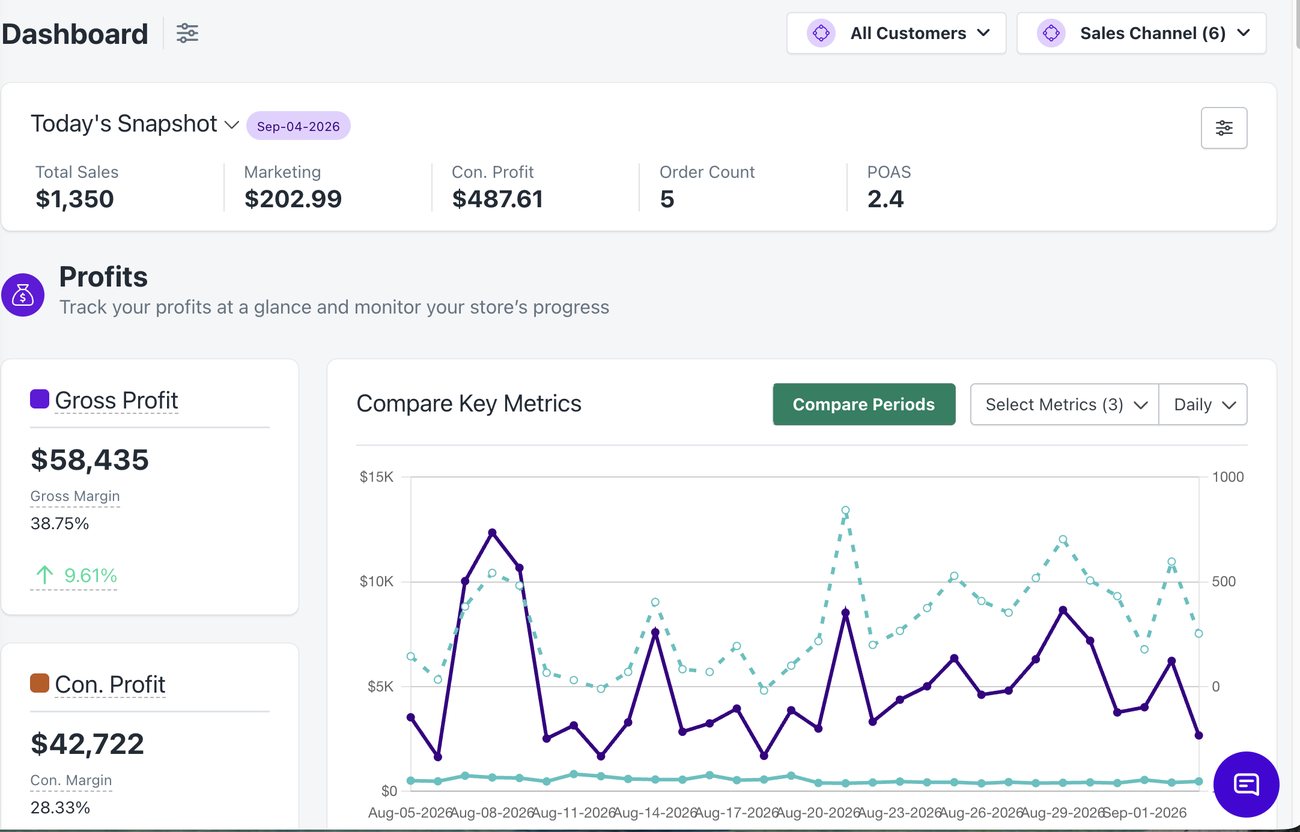
Real-time profit down to the order, all in one place. No more hopping from your store to your ad platform to a spreadsheet just to piece together one number.
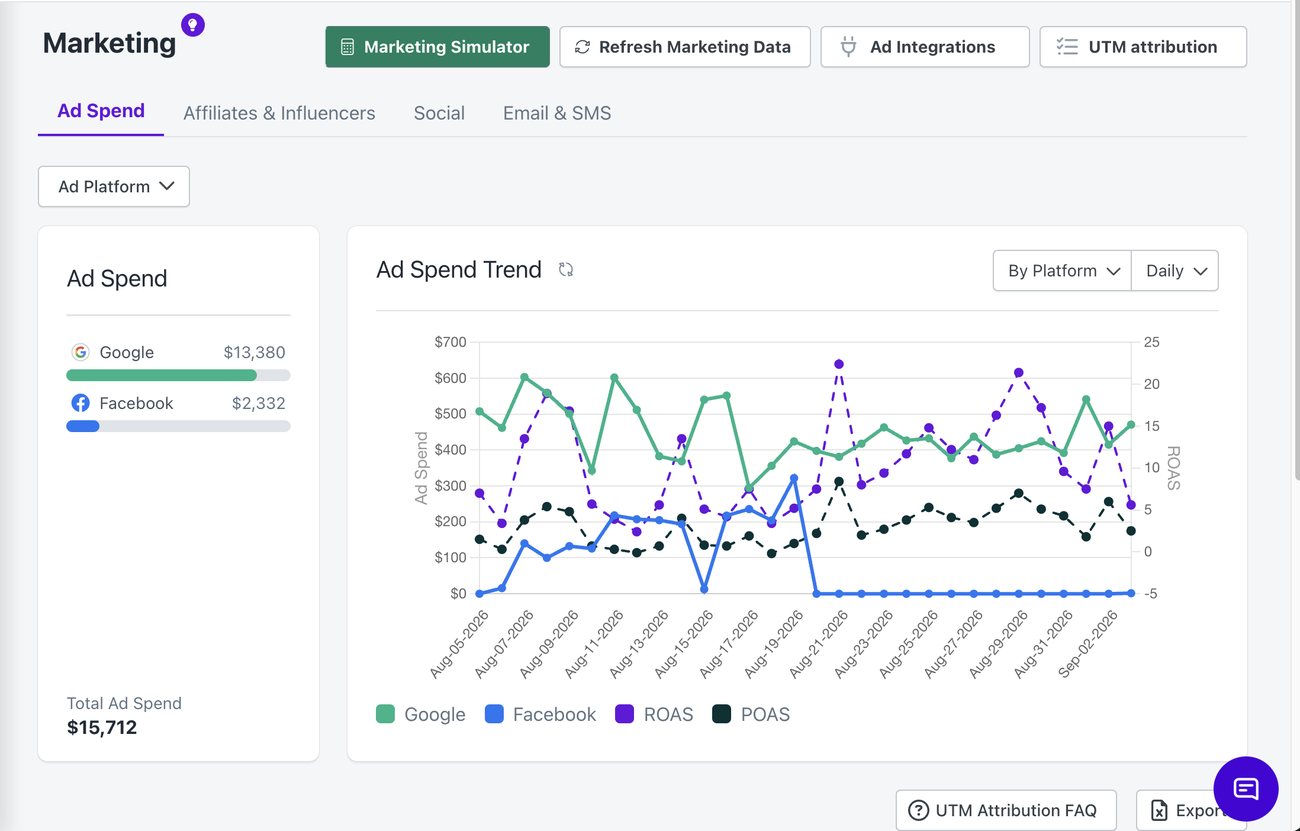
Breakeven ROAS calculated from your real margins, not a guess
02
Net Shipping
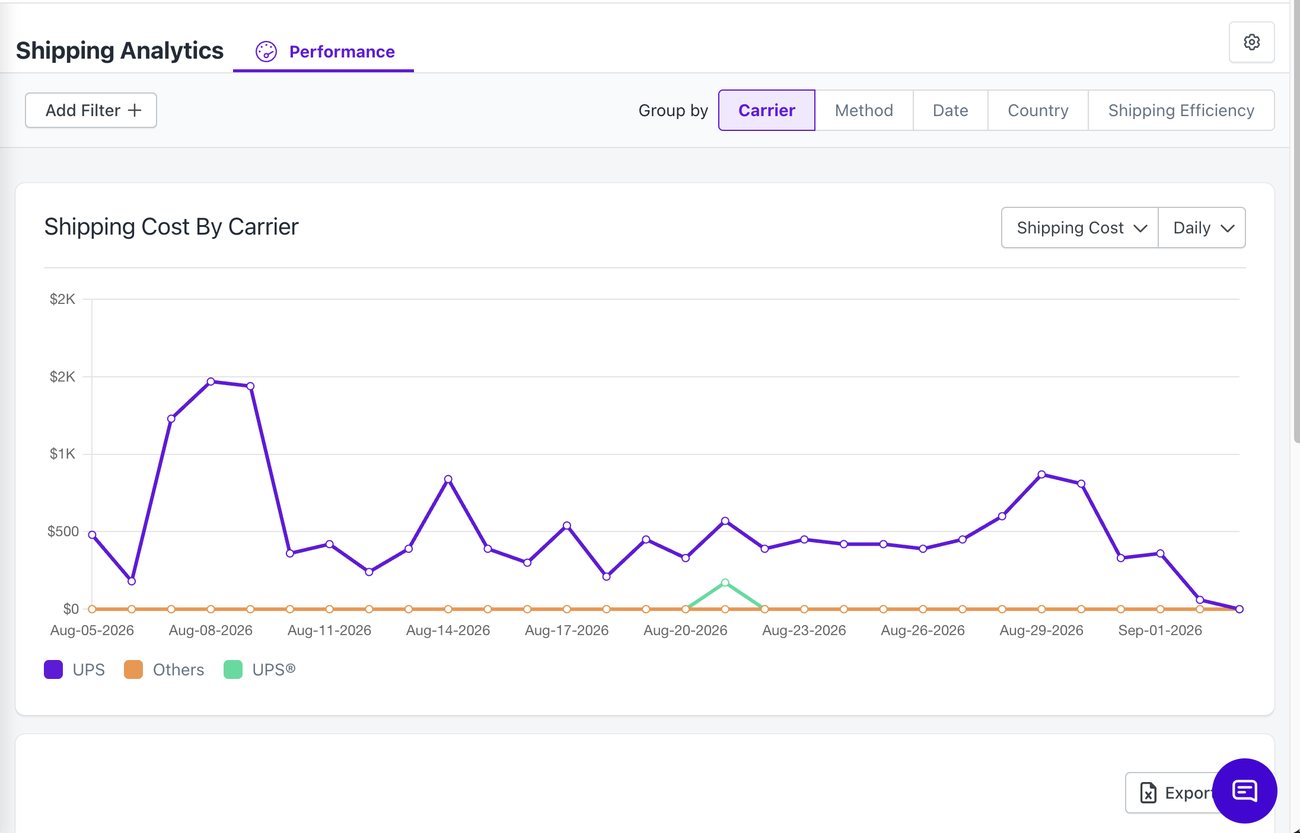
Shipping revenue charged vs. actual carrier cost, per order and per carrier. Most merchants have never seen this number: especially valuable for heavy, cold-chain, and oversized goods.
Recovery rate by carrier, updated per order
Flags the carriers quietly costing you money
Strongest for heavy, cold-chain, and oversized SKUs
03
Your Most (and Least) Profitable Orders
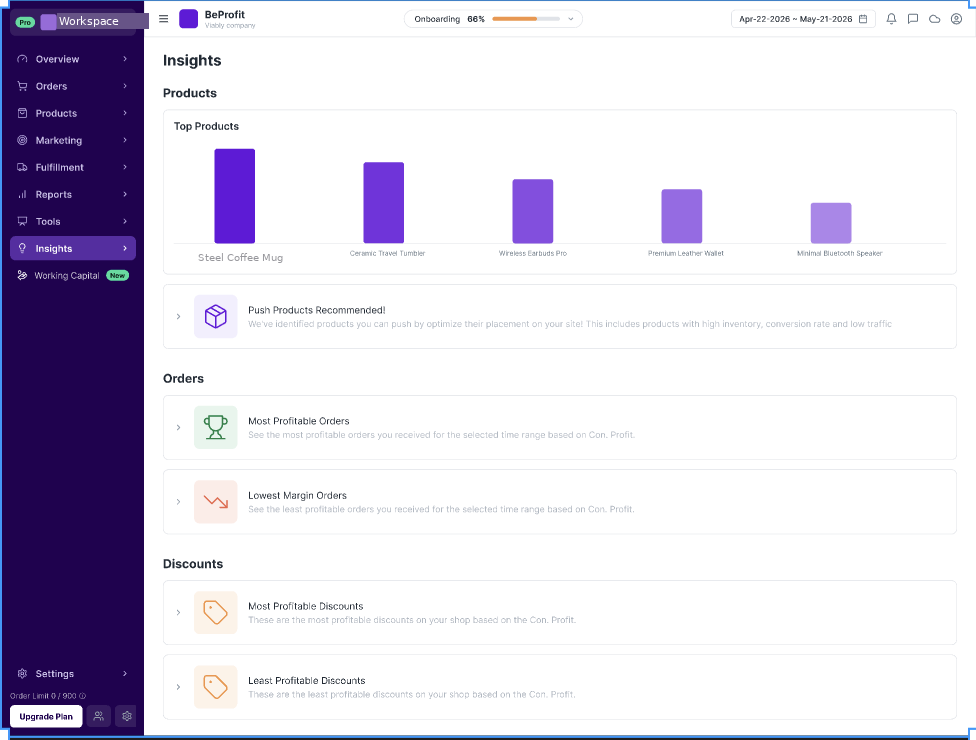
Contribution Profit = revenue − COGS − ad spend − shipping − fees, calculated for every order. Something Shopify's own reporting can't show. BeProfit ranks your orders by it automatically, so you're not the one hunting for what dragged the month down.
Most-profitable and lowest-margin orders, ranked automatically
Same contribution-profit math behind every ranking
No export-and-sort required to find what's losing money
MCP integration
Ask your numbers a question.
Connect BeProfit to Claude or ChatGPT from Settings → MCP. Copy one server URL, sign in, and approve read-only access. No install, nothing to run. Revoke it any time from the same screen.
Claude
ChatGPT
Claude
Which of my Meta campaigns lost money last week?
Prospecting – Broad is revenue-positive but profit-negative: POAS 0.86x, −$1,240 contribution profit last week.
04
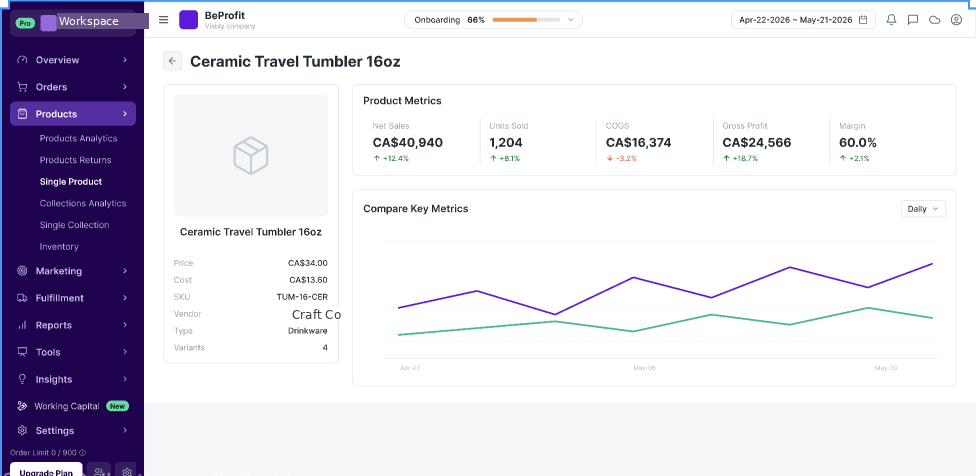
Every Product's Full Economics
Price, cost, net sales, COGS, gross profit, and margin, for every single product. Not a spreadsheet you rebuild once a month: a live number that updates with every order.
Net sales, COGS, gross profit, and margin, per product
Trend it over time instead of a one-time snapshot
Something Shopify's own product page can't show you
05
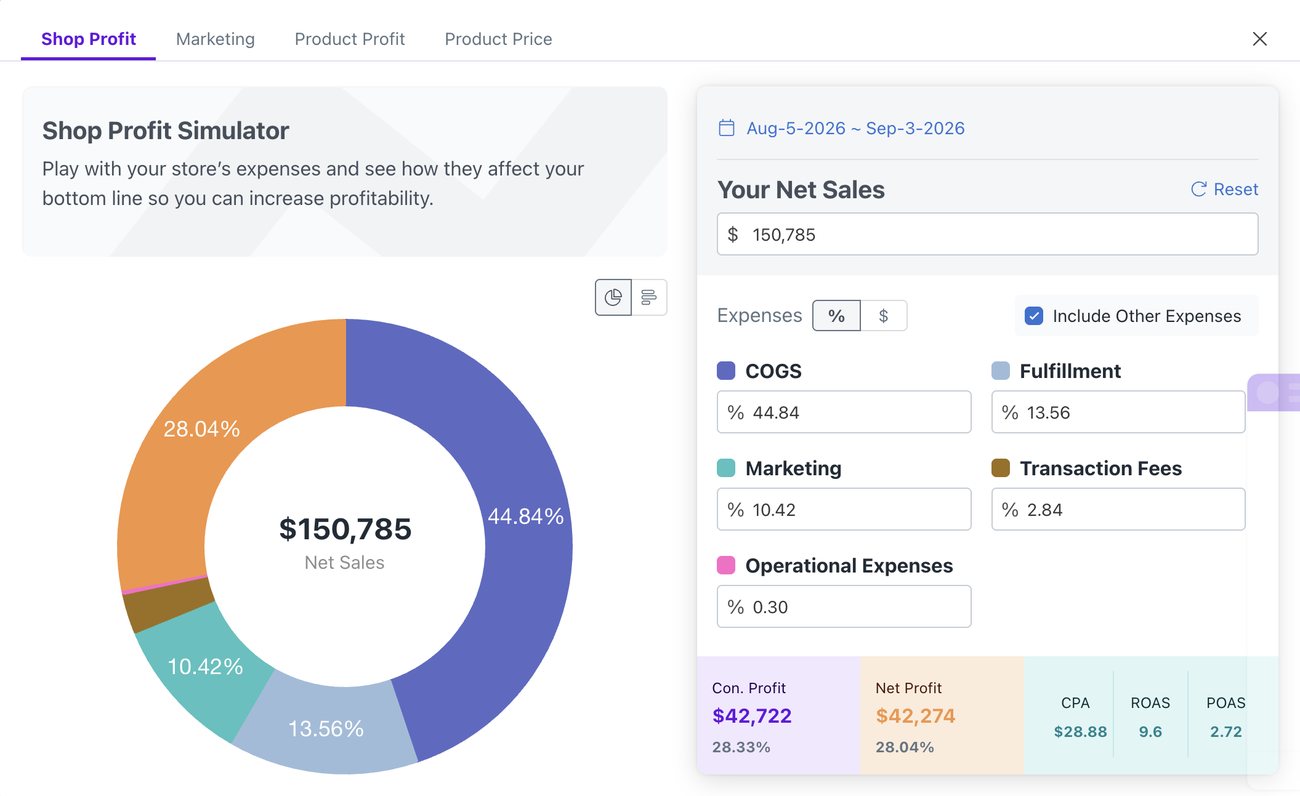
Profit & Pricing Simulators
Break-even, and "what price hits this margin." Model the change before you make it, instead of finding out in next month's P&L.
Break-even calculator for any cost or price change
Inverse solver: what price hits this margin
Test a supplier or freight change before it ships
06
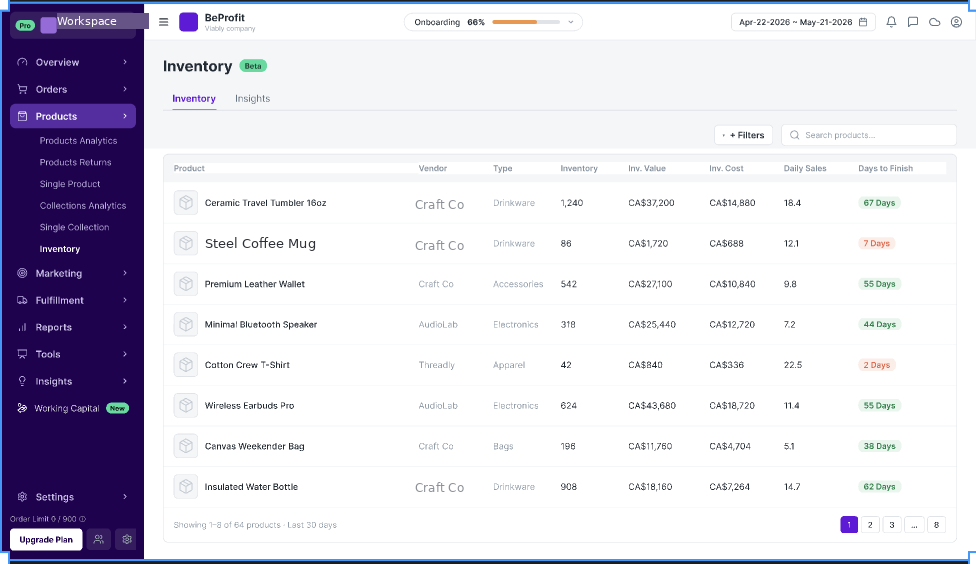
Know How Many Days of Stock You Have Left
Inventory value, inventory cost, and days-to-finish, calculated per product from your real daily sales pace. Not a manual reorder spreadsheet, and not a guess.
Days to finish, calculated from actual daily sales
Inventory value and cost, side by side, per product
Spot what's about to run out, and what's just sitting there
07
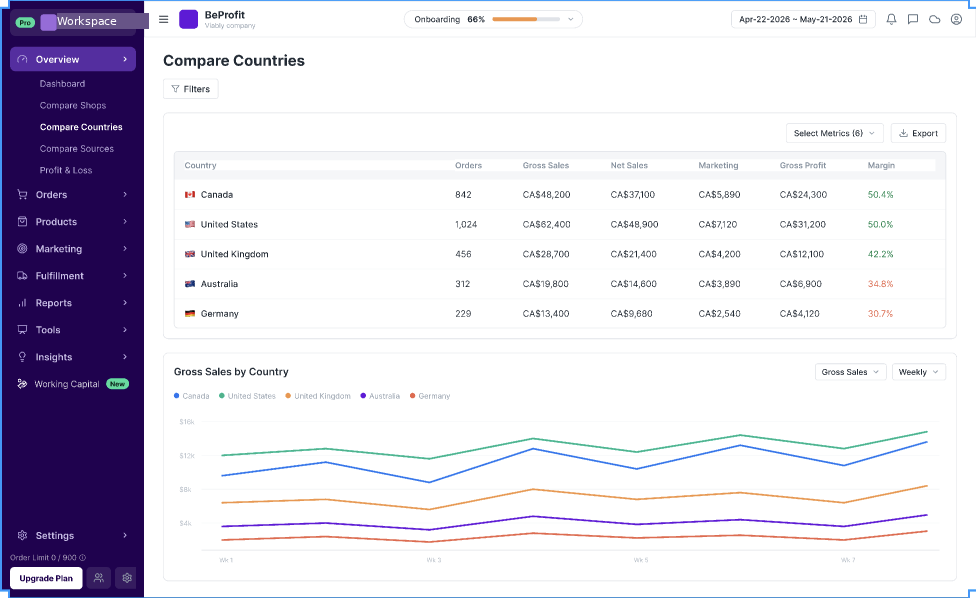
Compare by Country
Profit, revenue, and cost, broken out by country. If you sell into more than one market, see which one is actually carrying the business, side by side, instead of stitching it together from separate exports.
Profit and margin by country, side by side
No spreadsheet gymnastics to compare markets
Spot which market's margins are quietly the best, or worst
Connects to where you already operate.
BeProfit Platform FAQs
Does BeProfit replace my accounting software?
No. It's a real-time operating view, not a bookkeeping system. Export to CSV or your accounting stack when you need it there.
How often does data refresh?
The profit dashboard is real-time on every plan. Pro and up also let you refresh data on demand.
Can I connect more than one store?
Yes, on Enterprise. Basic, Pro, and Scale are single-store plans.
See it against your own numbers.
Connect a store and get your full profit picture in minutes.